
Category: Ai Tools

Ai Tools in development or available now

  • Awesome LinkedIn Profile Image with AI

    Awesome LinkedIn Profile Image with AI


    Introduction

    In today’s digital-first world, your LinkedIn profile image is more than just a picture; it’s a representation of your professional identity. In this blog, we delve into the fascinating process of using AI, specifically the DALL-E image generator, to create a unique and personalized LinkedIn profile image.


    The Process

    1. Conceptualizing the Idea

    • Our journey began with a unique request: to create a 3D animated character, resembling a specific individual, for a LinkedIn profile.
    • The aim was to craft an image that not only captures the individual’s likeness but also conveys a sense of professionalism and approachability.

    2. Initial Design and Iterations

    • We first utilized DALL-E to generate a basic 3D illustration of the character based on the provided image.
    • Key adjustments were made in response to feedback, focusing on capturing the individual’s age, hairstyle, and attire accurately.

    3. Fine-Tuning the Details

    • Further refinements involved adjusting the character’s clothing, ensuring it matched the provided images closely.
    • We paid particular attention to small details like removing earrings and ensuring the trousers were appropriately styled for a 50-year-old professional.

    4. Final Touches

    • The final step was to integrate the character seamlessly onto a LinkedIn logo, set against a backdrop resembling a LinkedIn profile page.
    • We ensured that the image composition was balanced, with the character’s full body visible and LinkedIn branding correctly depicted.

    Conclusion

    The process of creating a custom LinkedIn profile image with AI illustrates the power of technology in personal branding. By blending artistic creativity with AI capabilities, we were able to craft an image that is not only visually appealing but also truly representative of the individual’s professional persona.


    FAQs

    1. How does AI help in creating custom images?
      • AI, especially tools like DALL-E, interprets and combines elements of provided images and descriptions to create new, unique visuals.
    2. Can AI accurately capture personal characteristics in images?
      • Yes, AI can effectively incorporate personal characteristics, though it may require several iterations to fine-tune the details.
    3. Is it possible to request specific adjustments in AI-generated images?
      • Absolutely, AI-generated images can be modified with specific instructions to better meet the desired outcome.
    4. How can a custom LinkedIn image impact my professional presence?
      • A custom image can enhance your profile’s uniqueness, making you stand out and potentially leading to more engagement.

    TikTok Hashtags for Promotion:

    1. #LinkedInBranding
    2. #AICreativity
    3. #ProfessionalImage
    4. #DigitalIdentity
    5. #TechInArt
    6. #ProfilePictureIdeas
    7. #InnovativeDesign
    8. #PersonalBranding
    9. #AIinBusiness
  • Harnessing the Power of Midjourney V6: Revolutionizing Business with AI

    Harnessing the Power of Midjourney V6: Revolutionizing Business with AI

    Harnessing the Power of Midjourney V6: Revolutionizing Business with AI

    In the ever-evolving world of technology, artificial intelligence (AI) continues to make groundbreaking strides, reshaping the landscape of various industries. Among the notable advancements is the emergence of “Midjourney V6,” a sophisticated AI tool that is revolutionizing the way businesses operate. This blog post delves into how Midjourney V6 is transforming the business world, offering actionable insights and examples to help your business stay ahead in this digital era.

    Key Benefits of Midjourney V6 for Your Business:

    • Enhanced Efficiency and Productivity: Midjourney V6 automates routine tasks, allowing your team to focus on more strategic activities.
    • Improved Decision Making: With its advanced data analysis capabilities, Midjourney V6 provides valuable insights, leading to more informed decisions.
    • Cost Reduction: Automation of processes reduces labor costs and minimizes errors.
    • Innovation and Competitiveness: Stay ahead of the curve by leveraging the latest AI technology.

    Examples of Midjourney V6 in Action:

    • Case Study 1: Retail Industry: A retail company used Midjourney V6 to analyze customer data, leading to a 30% increase in targeted marketing effectiveness.
    • Case Study 2: Healthcare Sector: A hospital implemented Midjourney V6 for patient data analysis, improving diagnosis accuracy by 25%.

    FAQs About Midjourney V6:

    1. What is Midjourney V6? Midjourney V6 is an advanced AI tool designed to enhance business operations through automation and data analysis.
    2. How can Midjourney V6 improve my business? It streamlines processes, provides data-driven insights, and fosters innovation, thereby improving efficiency and competitiveness.
    3. Is Midjourney V6 difficult to integrate into existing systems? Integration varies based on your existing infrastructure, but Midjourney V6 is designed to be user-friendly and adaptable to various systems.

    Actionable Tips:

    • Evaluate Your Business Needs: Assess which areas of your business can benefit most from AI integration.
    • Educate Your Team: Provide training on Midjourney V6 to maximize its benefits.
    • Start Small: Implement the AI in phases to ensure smooth integration and adaptation.
    • Monitor and Adapt: Continuously monitor performance and be open to making necessary adjustments.

    Conclusion: Midjourney V6 represents a significant leap in AI technology, offering businesses an opportunity to enhance their operations and maintain a competitive edge. By understanding its capabilities and strategically integrating it into your business processes, you can unlock a world of efficiency, innovation, and growth.

    TikTok Hashtags :

    1. #MidjourneyV6
    2. #AIRevolution
    3. #BusinessInnovation
    4. #TechTrends2024
    5. #ArtificialIntelligence
    6. #DigitalTransformation
    7. #SmartBusiness
    8. #AITools
    9. #FutureOfWork
  • Revolutionizing Video Generation: Stability AI’s Stable Video Diffusion

    Revolutionizing Video Generation: Stability AI’s Stable Video Diffusion

    Welcome to the future of video generation with Stability AI’s latest innovation – the Stable Video Diffusion model. In this blog post, we will dive deep into the capabilities, applications, and significance of this groundbreaking technology. Let’s explore how it’s setting new standards in the realm of generative AI.

    Understanding Stable Video Diffusion

    • Release Date & Context: Announced on November 21, Stability AI introduced its foundation model for generative video – Stable Video Diffusion.
    • Technical Availability: The model’s code and necessary weights are accessible via GitHub and Hugging Face, respectively.
    • Research and Development: Details about the model’s technical prowess are elaborated in Stability AI’s research paper.

    Adaptability for Diverse Video Applications

    • Versatile Usage: The model is designed for various tasks, including multi-view synthesis from single images.
    • Extension Plans: Stability AI plans to develop an array of models, expanding on the Stable Diffusion ecosystem.
    • Sign-Up Opportunity: Users can join a waitlist for a new Text-To-Video interface, indicating widespread applications in advertising, education, and entertainment sectors.

    Competitive Performance

    • Model Specifications: Stable Video Diffusion offers two image-to-video models, capable of generating 14 to 25 frames at frame rates between 3 to 30 fps.
    • User Preference Studies: These models have shown superior performance in user preference studies compared to leading closed models.

    Research-Exclusive Model

    • Current Limitations: The model is currently exclusive for research, not intended for real-world or commercial use yet.
    • Feedback and Safety: Stability AI emphasizes the importance of community feedback on safety and quality for future refinements.

    Stability AI’s AI Model Portfolio

    • Diverse Range: Stable Video Diffusion joins a suite of open-source models covering image, language, audio, 3D, and code.
    • Human Intelligence Amplification: This addition showcases Stability AI’s commitment to enhancing human capabilities through AI.

    Staying Connected and Informed

    • Updates and Contacts: Stay updated via Stability AI’s newsletter and explore commercial applications by contacting them directly.
    • Social Engagement: Follow Stability AI on various social platforms like Twitter, Instagram, and LinkedIn.

    FAQs About Stable Video Diffusion

    Q: What is Stable Video Diffusion? A: It’s a generative AI video model by Stability AI, designed for various video-related tasks.

    Q: How can I access the Stable Video Diffusion model? A: The model’s code and weights are available on GitHub and Hugging Face, respectively.

    Q: Is Stable Video Diffusion ready for commercial use? A: Currently, it’s intended for research purposes only, with future plans for broader applications.


    9 TikTok Hashtags for Promoting the Blog Post

    1. #StableVideoDiffusion
    2. #GenerativeAI
    3. #StabilityAI
    4. #AIRevolution
    5. #VideoTech
    6. #AIInnovation
    7. #TechNews
    8. #DigitalTransformation
    9. #FutureOfVideo
  • ShortMake: The AI-Powered Revolution in Video Creation

    ShortMake: The AI-Powered Revolution in Video Creation

    The digital landscape is constantly evolving, and with it, the demand for captivating video content is soaring. While traditional video editing can be time-consuming and often requires a steep learning curve, ShortMake is here to redefine the narrative.

    Why ShortMake?

    In an age where content is consumed rapidly, producing engaging videos quickly is imperative. ShortMake leverages the prowess of AI to simplify the video creation process, ensuring that your content not only stands out but also resonates with your audience.

    Transforming Ideas into Viral Hits

    Ever wondered what it would be like if Elon Musk went to the moon? With ShortMake, you’re not bound by reality. Bring your wildest ideas to life and watch as the platform crafts a video that’s bound to go viral.

    Features that Elevate ShortMake

    • Simplified Creation: No more fumbling with intricate editing software. ShortMake’s intuitive interface ensures a smooth creation process.
    • AI-Powered Editing: Dive into the future of video editing, where AI does the heavy lifting, ensuring your content is unique and impactful.
    • A Glimpse into the Future: Explore sample videos on the platform to visualize the potential and get inspired for your next creation.

    FAQ Highlights

    • Is AI editing reliable? Absolutely. ShortMake’s advanced algorithms ensure that the final product is of the highest quality.
    • How does it differ from traditional editing? ShortMake streamlines the process, reducing the time and effort required, while delivering unparalleled results.

    In Conclusion

    ShortMake is not just a tool; it’s a revolution in video content creation. Whether you’re a budding content creator or a seasoned professional, the platform caters to all. Dive in, explore, and let ShortMake transform your ideas into viral sensations.


    2. TikTok Hashtags

    1. #ShortMakeMagic
    2. #AIVideoRevolution
    3. #ElonToMoon
    4. #InstantViralVideos
    5. #NextGenEditing
    6. #AIContentKing
    7. #ShortMakeStories
    8. #DigitalVideoEra
    9. #IdeaToScreen
  • Pika.art

    Pika.art

    Hello, video creators and tech fans! Curious about how AI is reshaping the video production landscape? Let’s explore Pika, the AI video generator that’s turning heads.

    AI’s Evolution in Video Production

    If you recall Gen 2, it was decent but somewhat rigid. Pika, on the other hand, brings fluidity and dynamism, elevating video creation to cinematic levels.

    The Simplicity of Prompting

    Using prompts in Pika is straightforward. A simple forward slash followed by your idea can produce stunning results. The community has been playing around with prompts like “epic medieval battle,” and the outcomes are nothing short of spectacular.

    AI’s Surreal Capabilities

    Pika has a knack for crafting surreal videos. Picture a 1980s arcade coming to life or a dream sequence in a sci-fi movie. It’s like walking into a piece of abstract art!

    Stability Concerns

    Dynamic movement is Pika’s forte, but it’s not without its hiccups. However, even the best Hollywood productions have their glitches, right?

    Mastering Negative Prompting

    Negative prompting is a revolutionary feature. It allows you to eliminate undesired elements, making your video more focused and visually striking.

    Customization Features

    Pika provides options for altering aspect ratios and controlling motion. Use these features wisely to craft your visual masterpiece.

    What’s Next for Pika

    Pika is in its beta stage, but the developers have hinted at exciting updates like text-to-video conversion. The community is eagerly awaiting these enhancements.

    The Creative Perspective

    Artists are employing Pika to produce everything from short films to interactive art installations. It’s like having a full-fledged production crew at your disposal.

    The Business Perspective

    Companies are also jumping on the Pika bandwagon. From marketing videos to product showcases, Pika is proving to be a cost-efficient solution.

    Pika’s Limitations

    While Pika is groundbreaking, it’s not without its flaws. However, the advantages far outweigh the drawbacks, making it an invaluable tool for video creators.

    User Feedback

    The Pika community is buzzing with positive reviews. From amateurs to pros, the feedback is overwhelmingly favorable.

    Ethical Questions

    Like any AI tool, Pika comes with its set of ethical considerations. As long as you use it judiciously, the possibilities are endless.

    Conclusion

    So, what’s the endgame in AI-driven video production? With Pika, the future is now. It’s a thrilling era to be a part of this tech upheaval. To get started with Pika, sign up at the link below. Thanks for reading, and see you in the world of Pika!

    FAQs

    1. What is Pika?
      • An AI-driven video generator.
    2. How is Pika different from Gen 2?
      • Pika offers more dynamic and fluid movement.
    3. What does negative prompting do?
      • It helps remove unwanted elements from your video.
    4. Is Pika free?
      • It’s currently in beta, and pricing is yet to be disclosed.
    5. Can Pika replace traditional video production?
      • While it has its limitations, Pika provides a quick and cost-effective alternative.

    9 TikTok Hashtags

    1. #PikaRevolution
    2. #AIinVideo
    3. #PromptingMagic
    4. #SurrealPika
    5. #StableOrNot
    6. #NegativePrompting101
    7. #CustomizeYourVideo
    8. #PikaFuture
    9. #EthicalAI
  • Unlock the Future of Learning with Monic.ai

    Unlock the Future of Learning with Monic.ai

    Introduction

    Welcome to the future of learning with Monic.ai—a cutting-edge platform that makes your academic journey more interactive than ever. You’ve probably heard of AI changing the world; Monic.ai is here to change the way you learn. So, what’s all the buzz about?

    How Monic.ai Works

    Uploading Files

    All you need to start your interactive learning experience is to upload files—yes, any files! Simply drag and drop your study materials, including YouTube video links, and you’re good to go.

    AI-Generated Resources

    Monic.ai uses world-class AI models to analyze your uploaded files and generate personalized learning resources like quizzes, flashcards, and summaries in just seconds. Say goodbye to tedious hours of making flashcards!

    Learning Tools

    You get a library full of smart study tools—spaced repetition, simulated exams, and even a chat feature that lets you interact with your files as if you’re having a conversation. It’s learning made fun!

    Target Audience

    Students

    From high schoolers to university grads, Monic.ai offers a one-stop platform to enhance academic success.

    Professionals

    If you’re in a competitive field, stay ahead by effortlessly boosting your knowledge base with Monic.ai.

    Avid Learners

    Those who crave knowledge for the sake of learning—you’ve got a playground here, too.

    Pricing Plans

    Monic Basic

    For beginners who want a taste of what Monic.ai can do, this free plan offers all the basic tools.

    Monic Premium

    At $4.99/month, unlock faster AI processing, multiple study modes, and 60+ language translations.

    Monic Ultimate

    Sky’s the limit with this $9.99/month plan that offers early access to special features and unlimited study resources.

    Earn With Us

    Ambassador Program

    Join the ranks and earn rewards by sharing Monic-related content. You could earn $1 for every 1000 views!

    Affiliate Program

    Get generous commissions on successful referrals. Plus, receive ongoing support from our dedicated affiliate team.

    Why Monic.ai Stands Out

    Learning Reinvented

    It’s TikTok-level engagement but for education!

    The AI Advantage

    The AI models make learning as personalized as it gets. No more one-size-fits-all!

    Testimonials

    Listen to what the users have to say. They don’t just like Monic.ai; they love it!

    FAQs

    Does it cost money to use Monic?

    You can start for free and choose to upgrade later.

    How does AI know how to make questions?

    Our advanced AI algorithms analyze the content and generate appropriate questions.

    How can I use the cards generated with another spaced repetition software like Anki or Quizlet?

    Monic.ai offers export features compatible with other platforms.

    Do you have a mobile app?

    A mobile app is in the pipeline, so stay tuned!

    The Future of Monic.ai

    Expect more groundbreaking features and tools to make your learning experience even better.

    Conclusion

    Monic.ai is not just another ed-tech platform; it’s a revolution in learning, empowered by AI. From students to professionals to anyone with a thirst for knowledge, Monic.ai caters to all. Are you ready to unlock the future of learning?

    FAQs After Conclusion

    1. Is Monic.ai suitable for academic purposes?
      • Absolutely, it’s loved by 40,000+ students and educators.
    2. How secure is my data with Monic.ai?
      • Monic.ai prioritizes data security, ensuring that your files are safe.
    3. Is there a limit to the file types I can upload?
      • Monic.ai supports multiple file types, offering great flexibility.
    4. What is the difference between Monic Basic and Monic Premium?
      • Monic Premium offers faster AI processing and additional features like 60+ language translations.
    5. Can I cancel my subscription at any time?
      • Yes, you have the freedom to upgrade or downgrade your plan anytime.
  • Skyglass app: Virtual Production Made Simple

    Skyglass app: Virtual Production Made Simple

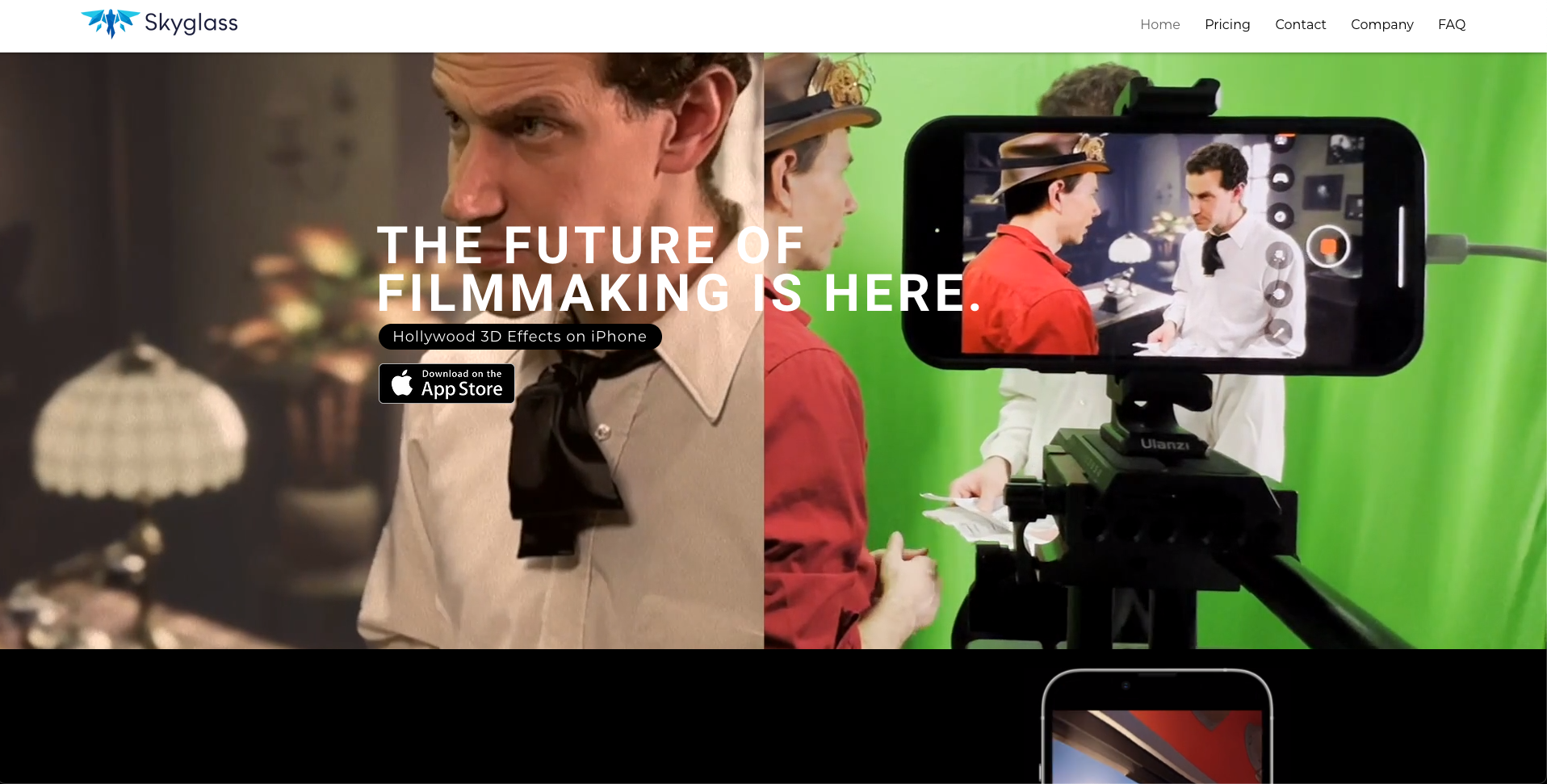
    Skyglass is a revolutionary app that makes virtual production accessible to anyone with an iPhone. Using the cameras and sensors built into your phone, Skyglass combines your real-life footage with virtual backgrounds streamed in real-time from the Skyglass Cloud. With the power of Unreal Engine, Skyglass creates ultra-realistic scenes that move when you move, providing an immersive experience for your viewers.

    But that’s not all. Skyglass also features full 360 AI-generated backgrounds, allowing you to type out what you want to see and let AI build a complete 360 environment for you to film in. This means that you can bring your ideas to life in a matter of minutes without the need for expensive equipment or a team of professionals.

    Meet the Skyglass Team

    The Skyglass team is made up of industry experts who are passionate about virtual production and making it accessible to everyone.

    Founder and CEO, Ryan Burgoyne, was a senior engineer on the team that built Reality Composer at Apple. After leaving Apple, Ryan founded Skyglass with the mission to help people tell their stories by making virtual production accessible to all.

    Marketing and UI/UX expert, Chadwin Smith, has years of experience working in technology at Apple, Google, and Intel. He also has over a decade of experience in video production and marketing.

    Operations Manager, Eric Burgoyne, has a background in R&D at Intel and a passion for particle physics, light, and alternative energy. He has founded several startups and excels at leading teams.

    Join the Virtual Production Revolution with Skyglass

    If you’re looking to create immersive and realistic videos without the need for expensive equipment or a team of professionals, Skyglass is the perfect app for you. Join the virtual production revolution and download Skyglass today.

  • Revolutionize Your Video Production with Wavel: The Ultimate AI-Assisted Video Editor

    Revolutionize Your Video Production with Wavel: The Ultimate AI-Assisted Video Editor

    Are you tired of spending hours editing videos only to end up with mediocre results? Look no further than Wavel. This cutting-edge AI-powered video editor allows you to create professional-quality videos in a fraction of the time it takes with traditional editing tools.

    What is Wavel?

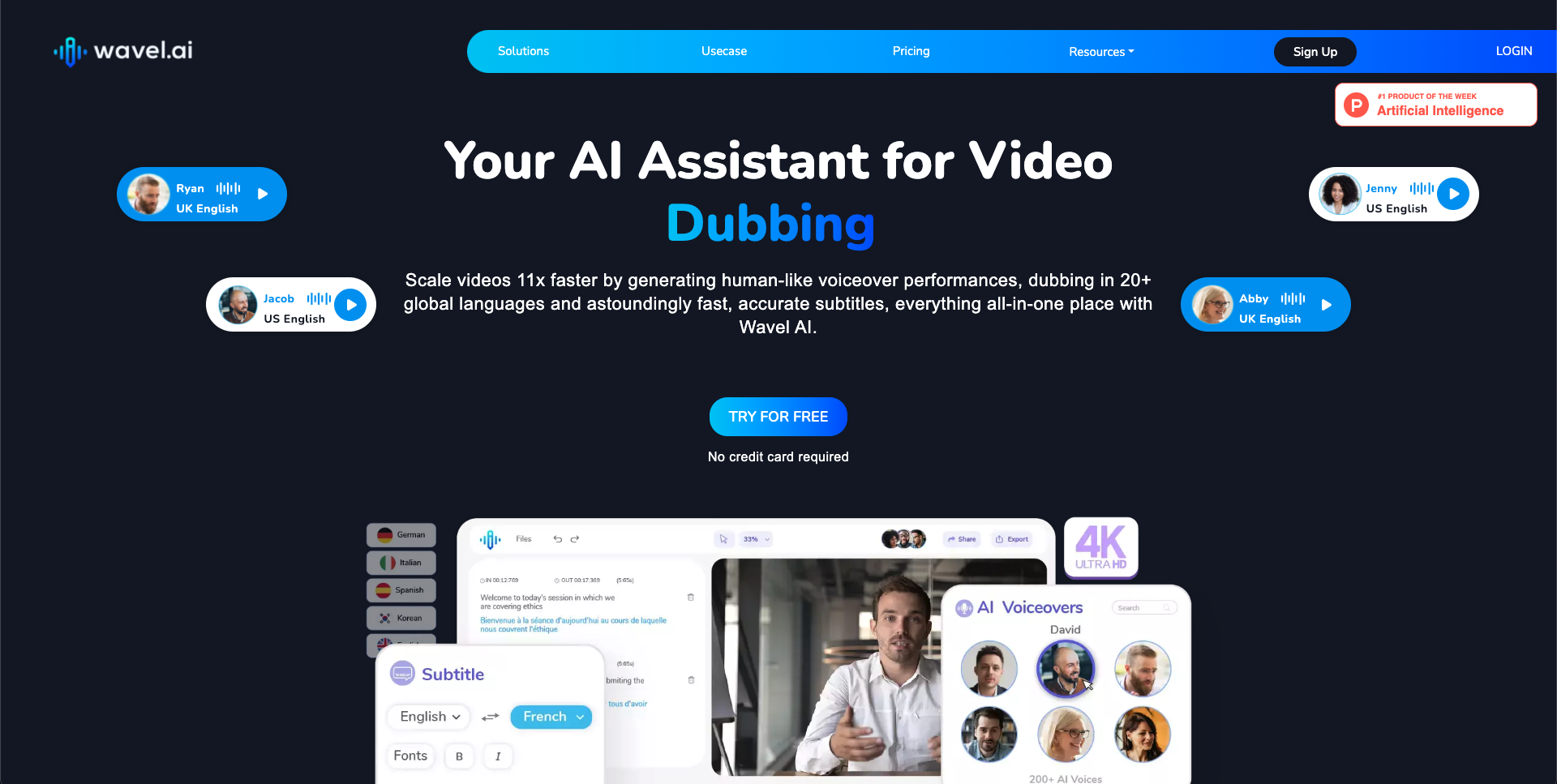
    Wavel is an all-in-one video editor that uses advanced AI algorithms to assist you in the video production process. With Wavel, you can generate and edit videos faster and more efficiently, with features like voiceover, dubbing, subtitles, and more.

    How Does Wavel Work?

    Wavel uses AI-powered algorithms to analyze your video content and generate personalized recommendations for editing, voiceovers, dubbing, and subtitles. With Wavel, you can easily and quickly generate high-quality videos that stand out from the crowd.

    Why Use Wavel?

    Wavel offers several benefits, including:

    1. Ease of Use: With Wavel, you don’t need to be a professional video editor to create stunning videos. The tool’s intuitive platform allows you to generate and edit videos quickly and easily, even if you have no prior experience.
    2. High-Quality Results: Wavel’s AI algorithms ensure that your videos are always of the highest quality, with realistic voiceovers, accurate subtitles, and stunning visuals.
    3. Cost-Effective: Wavel is an affordable alternative to traditional video editing tools, allowing you to create professional-quality videos without breaking the bank.

    In conclusion, Wavel is the ultimate AI-assisted video editor for anyone who wants to create stunning videos quickly and efficiently. With its advanced algorithms, ease of use, and cost-effectiveness, Wavel is the perfect tool for taking your video production to the next level. Try it today and see the difference it can make in your video production process.

    Hashtags: #Wavel #AIAssistedVideoEditor #EfficientVideoEditing #HighQualityResults #CostEffective #VideoProductionTools #VideoEditingMadeEasy #CreateLikeAPro #ArtificialIntelligence #RevolutionizeVideoProduction

  • Unleash Your Creativity with Unscreen: The Revolutionary Tool for Background-Free Video Production

    Unleash Your Creativity with Unscreen: The Revolutionary Tool for Background-Free Video Production

    For years, producing background-free videos required complex techniques like chroma keying and greenscreens. These methods are often time-consuming and require a great deal of skill and technical knowledge. However, with Unscreen, background-free video production is now easier than ever before.

    What is Unscreen?

    Unscreen is a revolutionary tool that allows you to record your footage anywhere and then simply remove the background. With Unscreen, you no longer need to spend hours manually selecting colors, painting masks, or moving paths. The tool analyzes your video 100% automatically and generates a high-quality result in seconds.

    Why Use Unscreen?

    Unscreen offers several benefits, including:

    1. Simplified Video Production: With Unscreen, you no longer need to worry about complicated background removal techniques. The tool does all the work for you, so you can focus on creating high-quality content.
    2. Amazing Accuracy: Unscreen uses advanced algorithms to analyze your video and generate a high-quality result. The tool is incredibly accurate, so you can be sure that your final product will look professional.
    3. Easy Integration: Unscreen is compatible with Adobe Premiere Pro and After Effects. With the Unscreen Pro plugin, you can seamlessly upload your Unscreen video to your editing software, making it easy to incorporate into your final product.

    How to Use Unscreen

    Using Unscreen is easy. Simply record your footage and upload it to the Unscreen website. The tool will automatically analyze your video and generate a high-quality result. You can then download your background-free video or use the Unscreen Pro plugin to integrate it into your editing software.

    In conclusion, Unscreen is a game-changer for anyone who wants to produce background-free videos quickly and easily. With its advanced algorithms, easy integration, and amazing accuracy, Unscreen is the perfect tool for unleashing your creativity and producing high-quality content. Try it today and see the difference it can make in your video production process.

  • Revolutionizing Music Videos: How Wonder Studio Is Transforming the Industry

    Revolutionizing Music Videos: How Wonder Studio Is Transforming the Industry

    The music video industry has been a breeding ground for creativity and visual innovation for decades. With the advent of new technology, artists and directors have been able to push the boundaries of what is possible in terms of storytelling, visual effects, and overall production value. Enter Wonder Studio, an AI-driven tool that has the potential to transform the way music videos are created, offering unparalleled possibilities for artists and directors alike. In this blog post, we’ll explore how Wonder Studio is revolutionizing the music video industry.

    1. No More MoCap, No Complicated 3D Software, No Expensive Production Hardware

    One of the most exciting aspects of Wonder Studio is its ability to eliminate the need for traditional motion capture (MoCap), complicated 3D software, and costly production hardware. Instead, all that’s required is a camera. This not only simplifies the process of creating visually stunning music videos, but also dramatically reduces the cost and resources needed, opening the door for more artists to explore the world of visual storytelling.

    1. Automatic Character Animation, Lighting, and Composition

    Wonder Studio streamlines the process of integrating computer-generated (CG) characters into live-action scenes. By uploading a CG character model into the system, the AI can automatically detect cuts, track the actor’s movements throughout the sequence, and animate, light, and compose the character accordingly. This automation saves significant time and effort for artists and directors, allowing them to focus on the creative aspects of their music video rather than the technical details.

    1. Adaptive to Existing Pipelines

    Wonder Studio seamlessly integrates with existing VFX workflows, automating 80%-90% of the “objective” work while leaving the remaining “subjective” work to the artist. This means that creatives can still use the software they’re familiar with, while enjoying the benefits of AI-driven automation. The ability to export individual elements such as motion capture, character pass, alpha mask, and more ensures a smooth and efficient workflow.

    1. Enhanced Creativity with Multiple Characters

    Wonder Studio’s capabilities extend beyond just one character, enabling artists to create immersive, otherworldly scenes with multiple CG characters. This allows for even greater creative possibilities, as directors and artists can develop elaborate and visually rich worlds for their music videos.

    1. Focus on Storytelling

    By automating much of the technical work, Wonder Studio empowers artists and directors to concentrate on creative storytelling. Music videos can now be more imaginative, visually impactful, and engaging, without the burden of time-consuming VFX work.

    Conclusion

    Wonder Studio is poised to revolutionize the music video industry, providing artists and directors with a powerful tool to create visually stunning and immersive content. By simplifying the VFX process and automating the integration of CG characters into live-action scenes, Wonder Studio allows creatives to focus on the most important aspect of their work: storytelling. As this technology continues to evolve, there’s no doubt that the music video landscape will be transformed, offering audiences even more captivating and imaginative experiences.

  • Unleashing Creativity with Kaiber: The AI-Powered Video Creation Tool

    Unleashing Creativity with Kaiber: The AI-Powered Video Creation Tool

    The rapidly evolving world of video content creation has seen a significant boost with the development of artificial intelligence tools. Kaiber is one such AI-powered tool that simplifies the process of creating visually stunning and engaging videos. Whether you are an aspiring filmmaker or a seasoned content creator, Kaiber offers a futuristic and innovative approach to video production. In this blog post, we will explore the features and benefits of using Kaiber to elevate your video projects.

    The AI-Powered Video Creation Process:

    Kaiber‘s AI-driven technology enables users to generate videos with ease and precision. By harnessing the power of artificial intelligence, Kaiber can automatically craft scenes, characters, and visual elements, such as the mesmerizing 28-year-old female cyborg, with realistic details and lifelike movements.

    The tool’s ability to create high-resolution (8K) content with bioluminescent effects and cinematic lighting brings a professional and polished touch to your projects. This technology ensures that your videos will captivate audiences with their visual appeal and storytelling.

    The Intuitive User Interface:

    Kaiber is designed with user-friendliness in mind, allowing creators of all skill levels to produce top-quality videos. The intuitive interface enables users to navigate through various features effortlessly, making the video creation process seamless and enjoyable. With Kaiber, even users with no prior experience in video editing can generate professional-looking content with ease.

    The “Entergalactic” Style and Inspiration:

    Kaiber’s unique “Entergalactic” style blends elements of science fiction and fantasy to create futuristic and captivating video content. This imaginative aesthetic allows creators to explore new realms of visual storytelling, pushing the boundaries of creativity and bringing their visions to life.

    Customization and Flexibility:

    Kaiber offers a range of customization options, allowing users to fine-tune their videos to match their vision. From detailed hairstyles and character designs to dynamic movements and visual effects, Kaiber provides the tools needed to create truly personalized video content. This flexibility ensures that your videos will resonate with your target audience and convey your message effectively.

    Conclusion:

    Kaiber is revolutionizing the video content creation landscape with its AI-powered technology and innovative features. This tool enables creators to produce visually stunning and engaging videos that push the limits of creative expression. Whether you are an aspiring filmmaker or an experienced content creator, Kaiber offers an exciting and futuristic approach to video production. Give Kaiber a try and experience the boundless possibilities of AI-driven video creation.

    GET KAIBER CREDITS

  • wearanova.ai an amazing ai video tool

    wearanova.ai an amazing ai video tool

    In today’s digital age, creating high-quality videos is essential for businesses and individuals alike. However, not everyone has access to expensive video editing software or the technical expertise to use it. This is where Nova A.I. comes in.

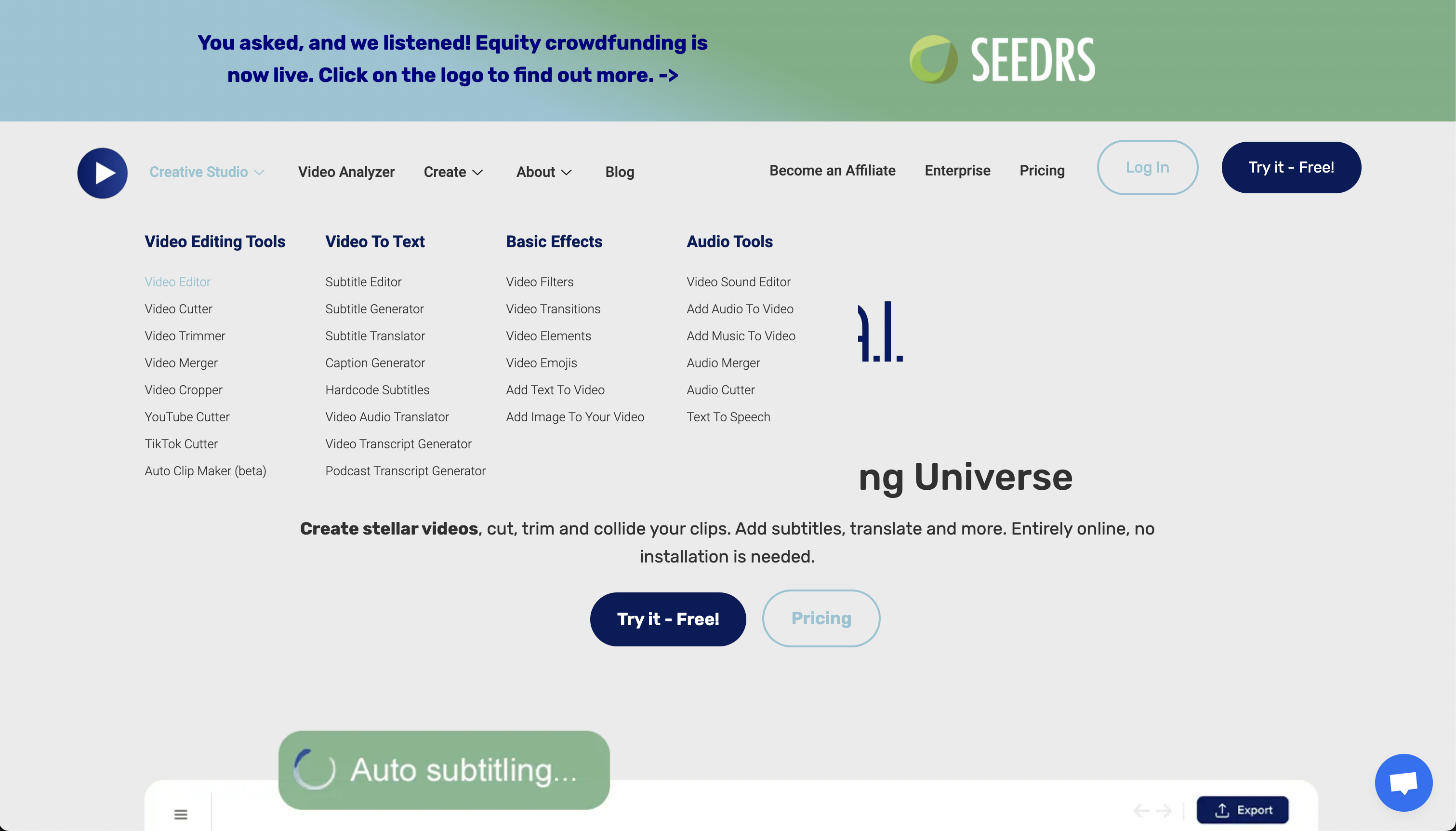
    Nova A.I. is an online video editing tool that makes it easy to create stellar videos without the need for installation or technical expertise. With features like the subtitle generator, text to speech generator, video translator, video merger, and video resizer, Nova A.I. provides everything you need to create professional-quality videos in one place.

    One of the standout features of Nova A.I. is its subtitle generator, which automatically generates subtitles and hardcodes them to your videos. You can download SRT, VTT & TXT files and make your videos accessible to a wider audience.

    Another powerful feature of Nova A.I. is the text to speech generator, which uses AI to quickly turn any text into a male or female voiceover. This feature is particularly useful for those who want to create engaging videos without the need for expensive voiceover equipment or professional voice actors.

    In addition to these powerful AI-driven features, Nova A.I. also offers a video translator that can translate your TikTok videos, online courses, movies, and more into 75 different languages. This feature makes it easy to reach a global audience and expand the reach of your content.

    Nova A.I. also offers training for both large production studios and everyday content creators, making it easy for anyone to learn how to use the platform and create stunning videos.

    In conclusion, Nova A.I. is a simple yet powerful online video editing platform that makes it easy for anyone to create professional-quality videos. With features like the subtitle generator, text to speech generator, video translator, video merger, and video resizer, Nova A.I. provides everything you need to create engaging and captivating videos. So why wait? Try it for free and see for yourself how Nova A.I. can take your video editing to new heights.

  • EDITAIR: Futuristic Video Editing with AI for Effortless Content Creation = mind blown

    EDITAIR: Futuristic Video Editing with AI for Effortless Content Creation = mind blown

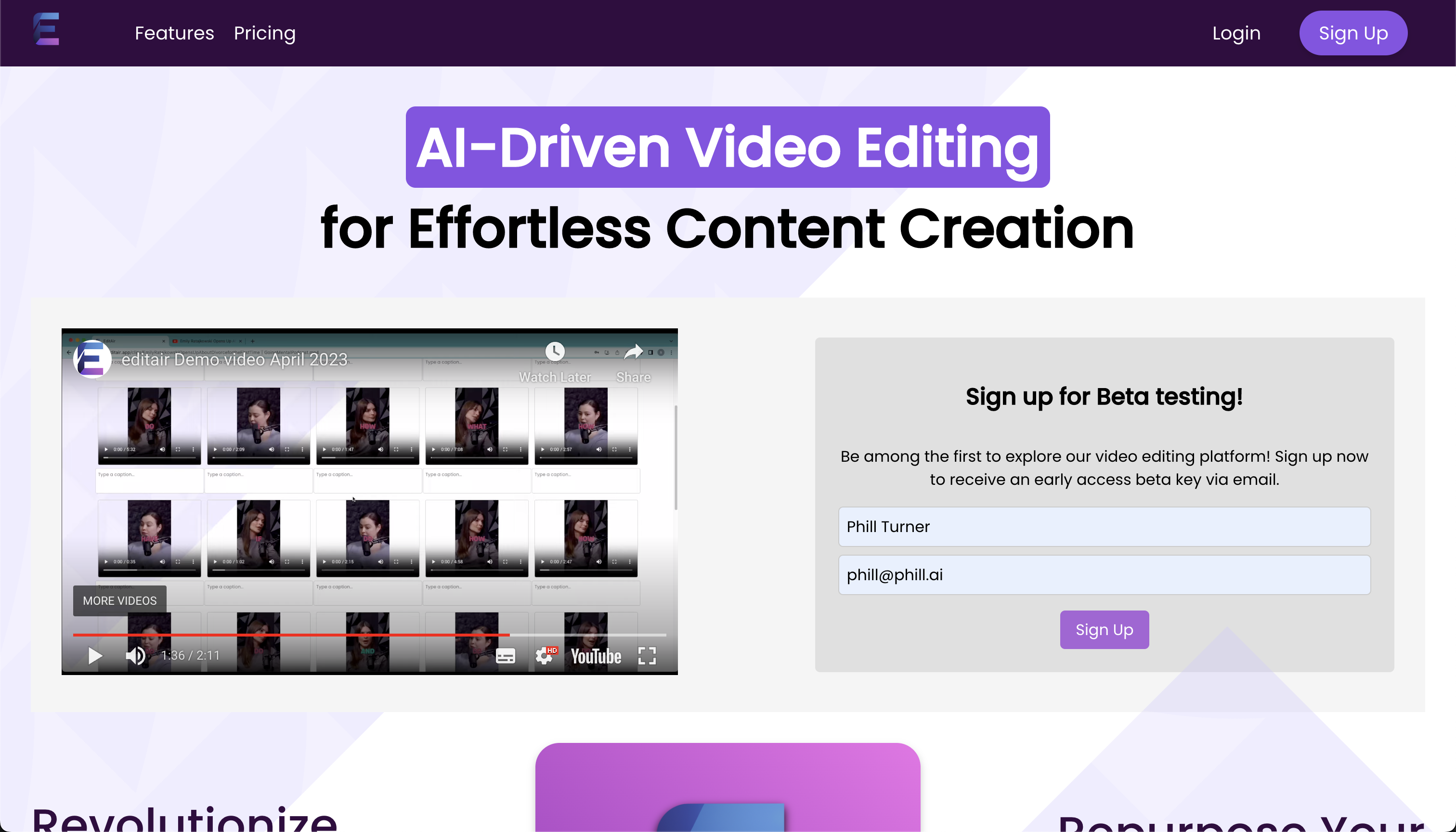
    In today’s fast-paced world, creating high-quality video content is crucial for businesses to stand out and engage with their audience. However, manual video editing can be time-consuming and often requires technical expertise. But what if there was a way to revolutionize your video editing process with the power of AI? This is where EDITAIR comes in.

    EDITAIR is an AI-driven video editing platform that allows you to optimize your content for any platform effortlessly. With features like short-form clips, smart cropping, subtitles, and transcription, EDITAIR makes it easy to repurpose your long-form content for social media and extend your reach to new audiences.

    One of the standout features of EDITAIR is its Smart Cropping feature. By dynamically adjusting the frame composition, Smart Cropping ensures that the critical visual elements remain in focus and are aesthetically appealing. This feature takes the guesswork out of framing and ensures that your viewers stay engaged throughout the video.

    EDITAIR also offers a transcription feature that uses powerful AI tools to quickly and accurately convert speech into text, simplifying the editing process. This feature is especially useful for summarizing your content and providing an easy-to-follow narrative.

    In addition to its powerful AI-driven features, EDITAIR is also incredibly user-friendly. With its simple and intuitive interface, you can easily customize text appearance and positioning with user-friendly customization options, such as font, color pattern, size, and positioning.

    EDITAIR also offers tailored applications for specific industries or niches, catering to unique market needs and preferences. This feature allows you to focus on the instruments and objects needed to tell your story in any industry, providing useful context for your content.

    And with pricing options that range from free to unlimited upload and clip storage, EDITAIR is accessible to businesses of all sizes and budgets.

    In conclusion, EDITAIR is an AI-driven video editing platform that revolutionizes the video editing process, making it easy to optimize your content for any platform. With its powerful AI features, user-friendly interface, and tailored applications, EDITAIR is a game-changer for businesses looking to create high-quality video content effortlessly. So why wait? Sign up for beta testing today and be among the first to explore this cutting-edge platform.